Free Proforma Invoice Template
Download a clean, editable proforma invoice template — Excel, Word or CSV, in 9 layouts and 5 colors. The Excel file calculates line amounts and totals for you. Free, no sign-up, no watermark.
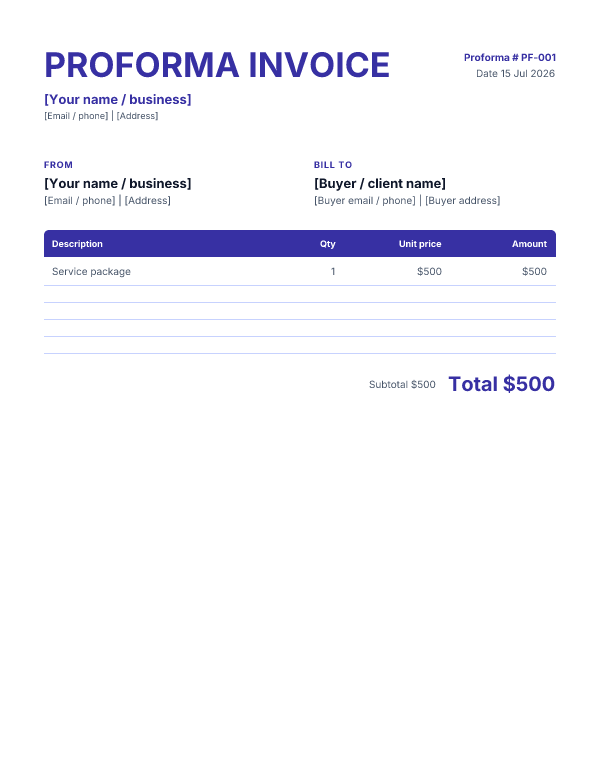
Classic layout · Indigo color
Excel files keep a spreadsheet/grid structure, so their layout variations are necessarily limited. Word files reflect the selected layout more fully. CSV has no styling and stays the same for every choice.
Need the final bill after approval? Use the invoice generator →. A proforma is provisional, so do not relabel a final invoice in its notes.
What's in the template
It has everything a proforma needs: your and the buyer's details, a proforma number, date and validity, an itemised table (description, quantity, unit price, amount) with subtotal, tax and total, and a note line making clear it's a quotation, not a demand for payment. The Excel version includes formulas so amounts and totals update as you fill it in.
How to use it
- Download the format, layout and color you prefer (Excel for automatic totals).
- Replace the bracketed placeholders with your and the buyer's details.
- Add the line items; the Excel total updates automatically.
- Save as PDF and send it for approval or advance payment.
- Once approved, issue a final invoice with the same figures.
Related
Need a standard invoice instead? See the invoice template or fill one in with the invoice generator. Agreeing scope and price first? Use the quote template.
FAQ
What is a proforma invoice?
A proforma invoice is a preliminary bill sent before the work or shipment — it quotes the goods/services and price so the buyer can approve, arrange advance payment, or clear customs. It is not a demand for payment and a final invoice follows.
How is it different from a normal invoice?
A normal (commercial) invoice requests payment for a completed sale and is a formal accounting document; a proforma is provisional — same layout, but it commits no one and is not entered as a payable/receivable.
Are these proforma templates free?
Yes — free, editable, no sign-up, no watermark. The Excel file calculates line amounts and totals for you.
When should I send one?
Before delivery: to confirm scope and price, to request a deposit, for international shipping/customs, or when a buyer needs a document to raise a purchase order.